> ## Documentation Index
> Fetch the complete documentation index at: https://docs.share.land/llms.txt
> Use this file to discover all available pages before exploring further.
# Quickstart
> From zero to your first SQFT trade in under 5 minutes.
Get from zero to your first real estate investment in under 5 minutes.
## 1. Create your account
Go to [share.land](https://share.land) and click **Log In**.
Connect any Web3 wallet: MetaMask, Coinbase Wallet, Rainbow, or any WalletConnect-compatible wallet.
Complete your profile (name + accepting the Terms of Service) to unlock trading.
Shareland is not available to residents of the United States or other restricted jurisdictions. See the [FAQ](/reference/faq) for the full list of restricted countries.
## 2. Fund your wallet
Add USDC to your wallet to start trading. Your wallet address is visible in your portfolio under **User Profile**.
## 3. Pick a market
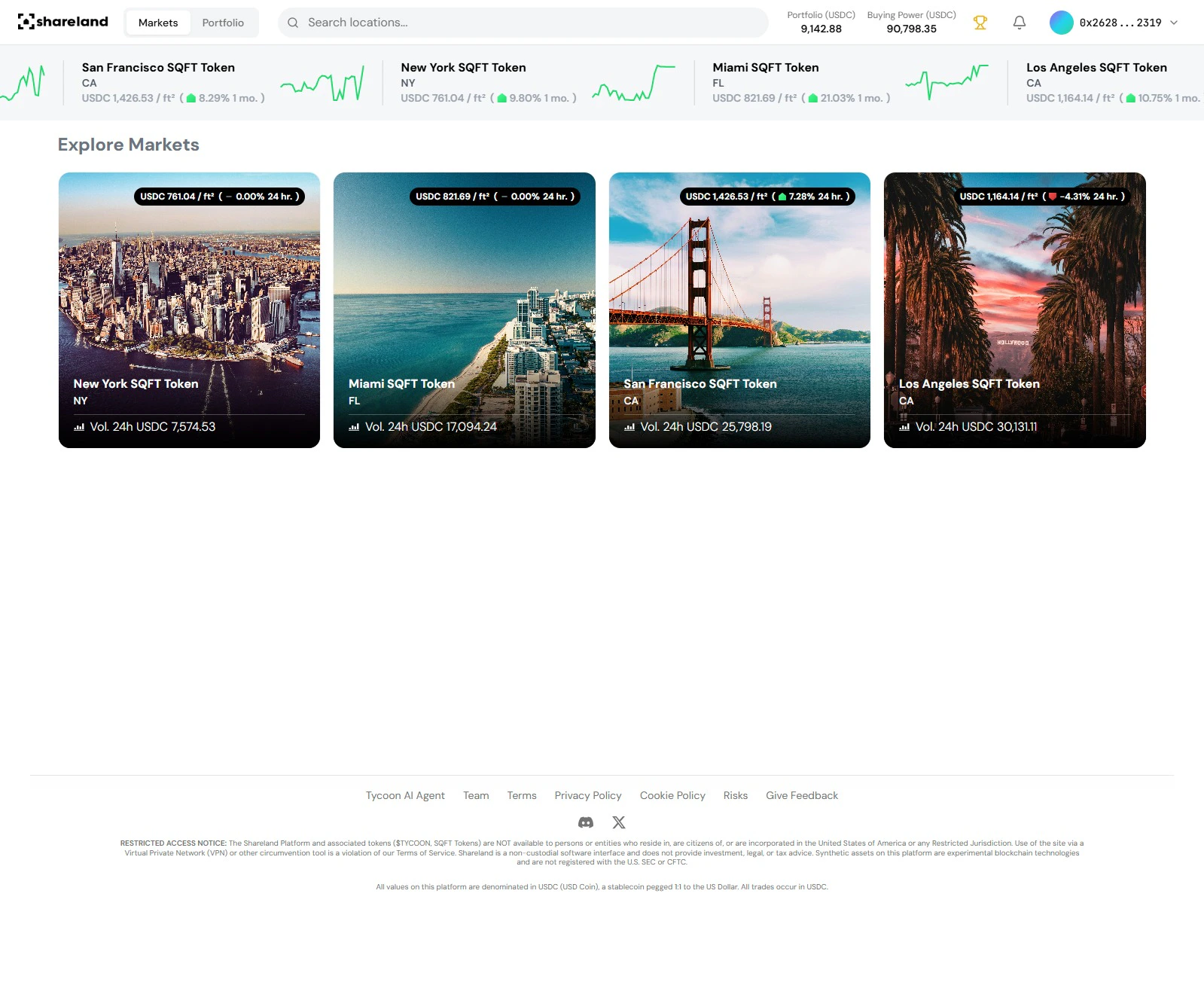 Browse the **Explore Markets** section. Four markets are live at launch:
* **New York**
* **Miami**
* **San Francisco**
* **Los Angeles**
See live prices at [share.land](https://share.land).
Click any card to see the full detail view - price chart, neighborhood breakdown, and community posts.
## 4. Make your first trade
In the market detail panel, click **Trade** → **Buy**. Enter the amount in USDC and confirm. Your position appears in your portfolio instantly.
That's it - you now have exposure to real estate by the square foot. 🏙️
***
## What's next?
Track your positions and P\&L
Provide liquidity and earn USDC yield
Learn how prices are set
Common questions answered
Browse the **Explore Markets** section. Four markets are live at launch:
* **New York**
* **Miami**
* **San Francisco**
* **Los Angeles**
See live prices at [share.land](https://share.land).
Click any card to see the full detail view - price chart, neighborhood breakdown, and community posts.
## 4. Make your first trade
In the market detail panel, click **Trade** → **Buy**. Enter the amount in USDC and confirm. Your position appears in your portfolio instantly.
That's it - you now have exposure to real estate by the square foot. 🏙️
***
## What's next?
Track your positions and P\&L
Provide liquidity and earn USDC yield
Learn how prices are set
Common questions answered