> ## Documentation Index
> Fetch the complete documentation index at: https://docs.share.land/llms.txt
> Use this file to discover all available pages before exploring further.
# Sell SQFT Tokens
> How to close a position and return funds to your wallet.
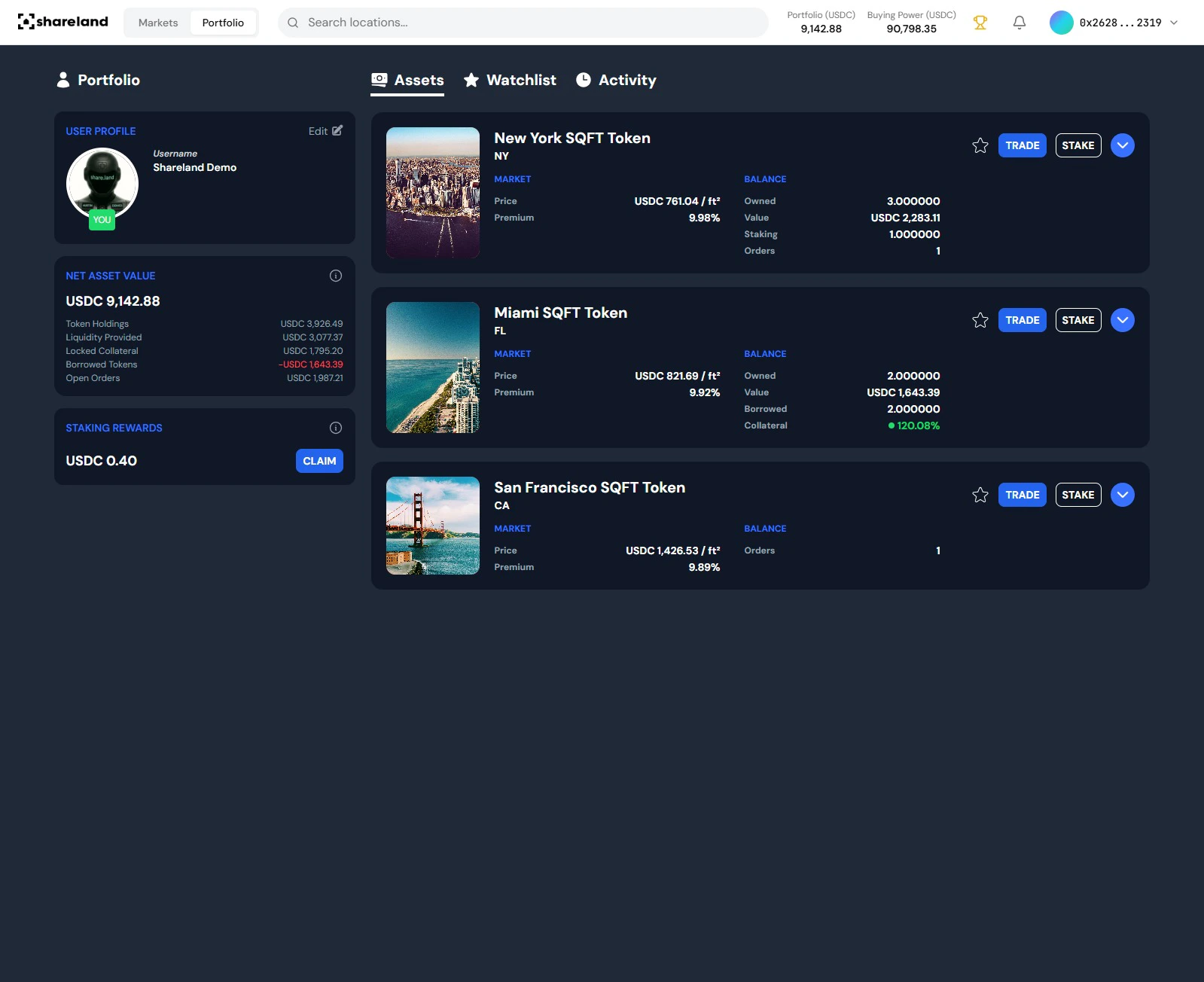
## Step 1: Open the action panel
You can open the sell panel two ways:
* **From Portfolio:** Navigate to **Portfolio** in the top nav → click any position in the **Assets** tab
* **From the market:** Click any market card on the exchange to open the action panel directly
 ## Step 2: Choose order type
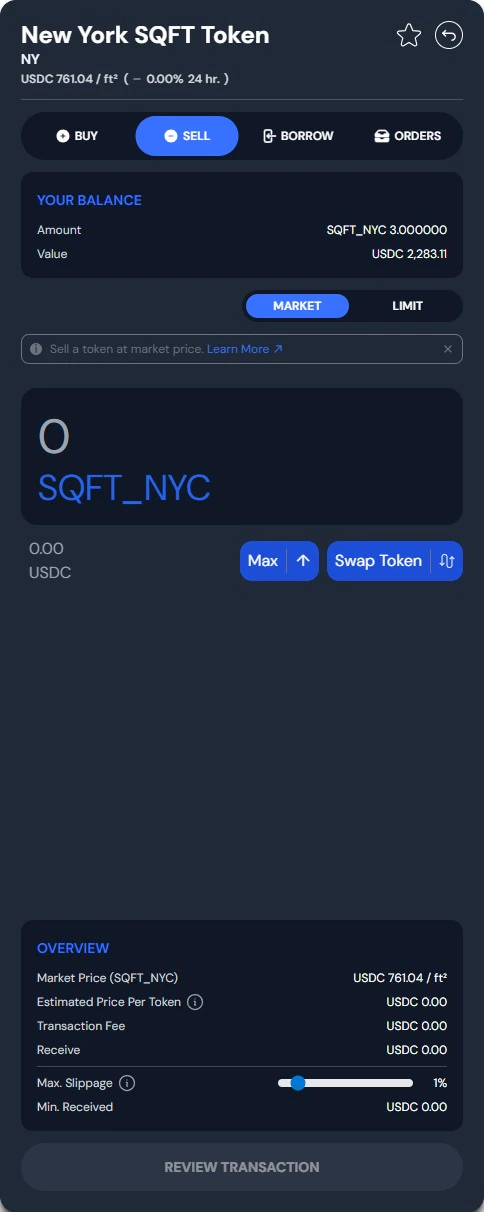
The sell panel has two tabs: **Market** and **Limit**.
### Market order (default)
Select the **Sell** tab under **Market**. Enter the amount to close, either a specific number of tokens or a USDC value. Partial exits are fully supported. Market orders execute immediately at the current AMM price.
### Limit order
Select the **Limit** tab to set a specific price. Enter:
* **Price** — the minimum \$/sqft you're willing to accept
* **Amount** — number of SQFT tokens to sell
Your order sits in the order book until the market reaches your price. You can view and cancel open orders from the **Orders** tab.
## Step 2: Choose order type
The sell panel has two tabs: **Market** and **Limit**.
### Market order (default)
Select the **Sell** tab under **Market**. Enter the amount to close, either a specific number of tokens or a USDC value. Partial exits are fully supported. Market orders execute immediately at the current AMM price.
### Limit order
Select the **Limit** tab to set a specific price. Enter:
* **Price** — the minimum \$/sqft you're willing to accept
* **Amount** — number of SQFT tokens to sell
Your order sits in the order book until the market reaches your price. You can view and cancel open orders from the **Orders** tab.
 ## Step 3: Confirm
Review the transaction details, including the 1.5% fee, and confirm. Market orders settle immediately. Limit orders remain open until filled or cancelled. Funds return to your connected wallet after the transaction confirms on-chain.
You can sell any portion of a position. You don't have to exit all at once.
Track your remaining positions
## Step 3: Confirm
Review the transaction details, including the 1.5% fee, and confirm. Market orders settle immediately. Limit orders remain open until filled or cancelled. Funds return to your connected wallet after the transaction confirms on-chain.
You can sell any portion of a position. You don't have to exit all at once.
Track your remaining positions