

You’ll need USDC on the Base network to trade. There is no in-app on-ramp. Acquire USDC on Base through your wallet provider before getting started.
Step 1: Browse markets
From the exchange, browse the available markets. Each card shows the current oracle price ($/sqft), 24h volume, and recent price movement.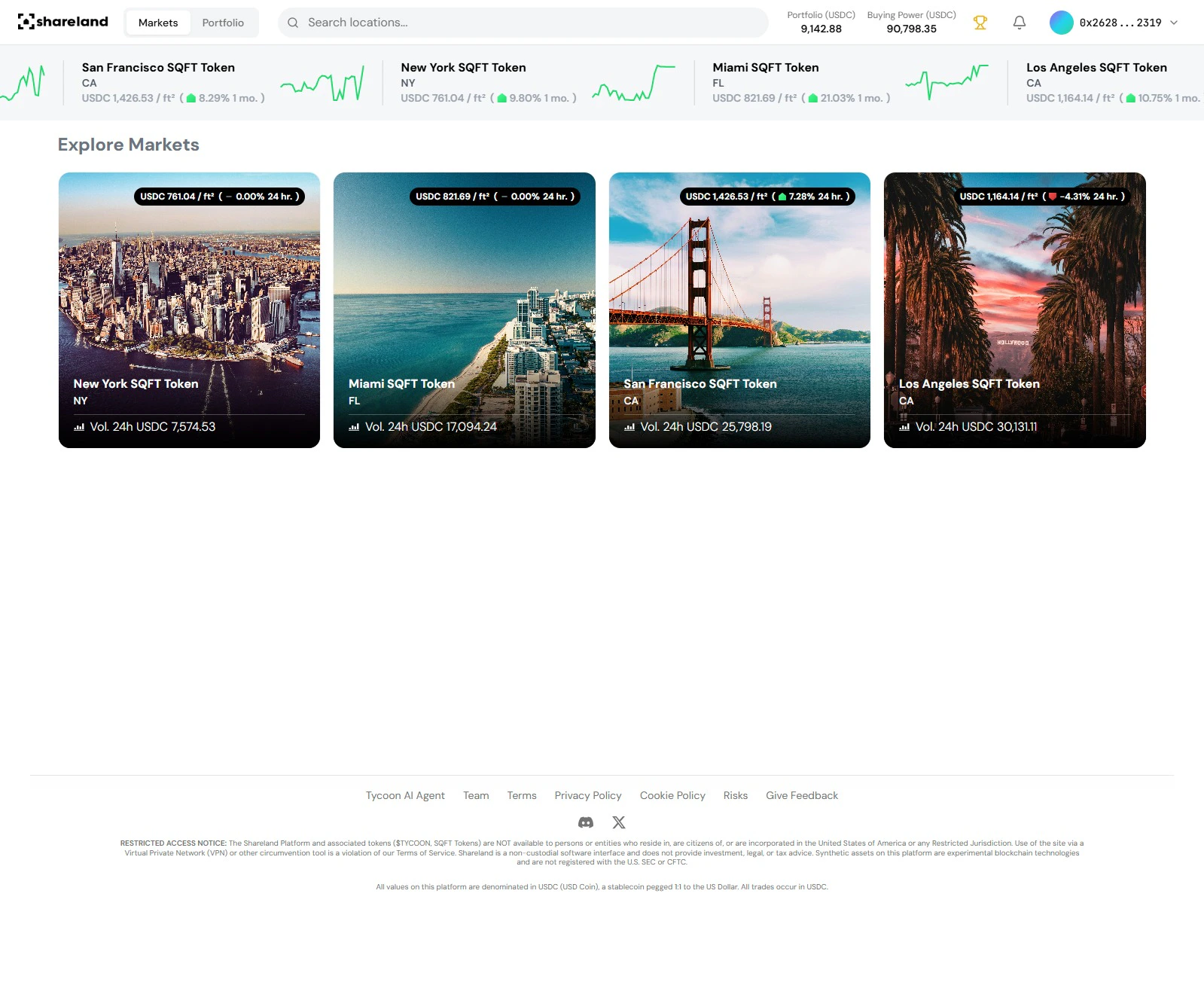
Shareland exchange: Explore Markets
Step 2: Select a market
Click any market card to open the detail panel on the right. You’ll see:- Live price chart and oracle price
- Neighborhood breakdown with individual area prices
- Community posts from other traders
- Your current position in this market (if any)
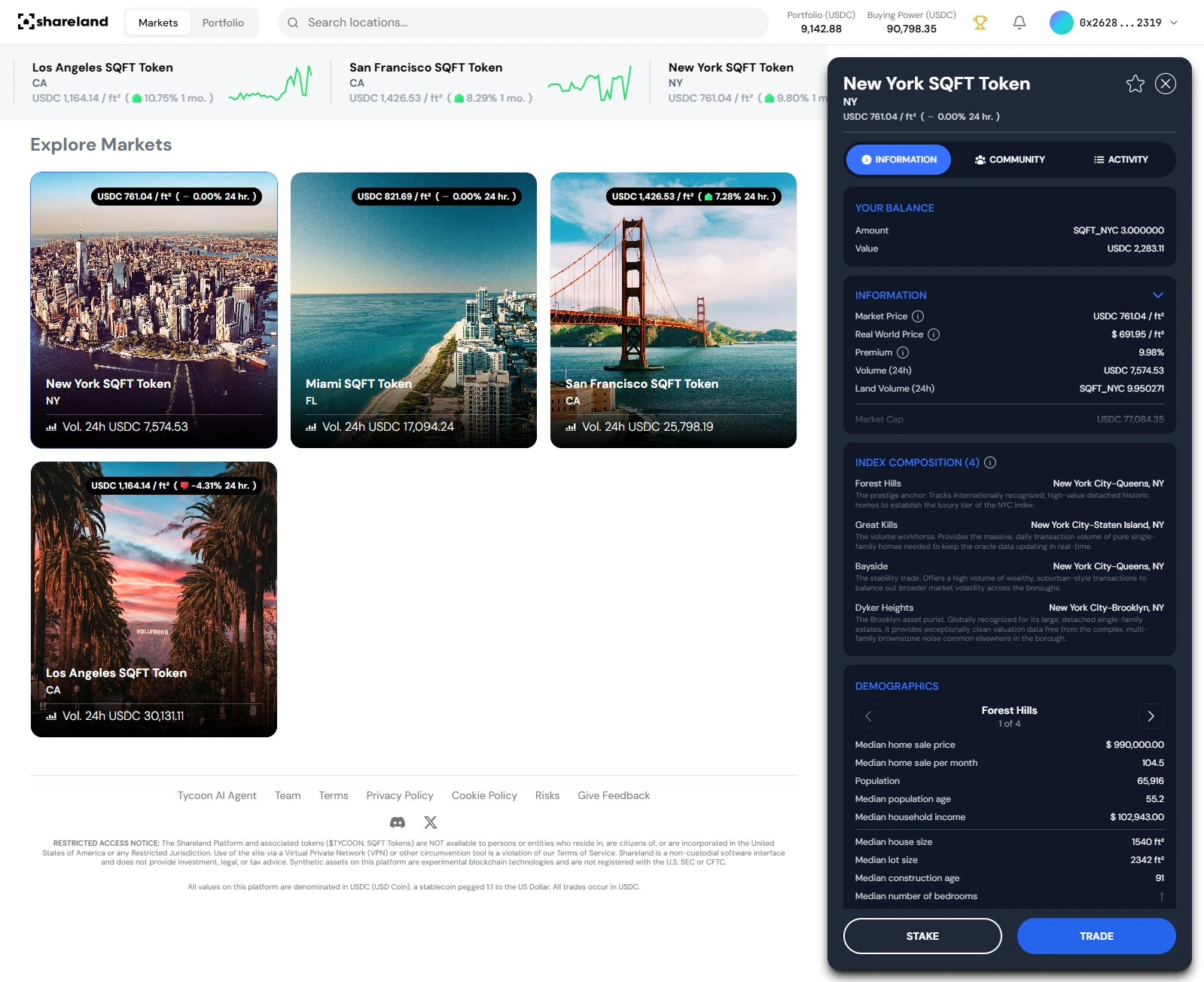
Shareland: Market detail panel (New York)
Step 3: Open the action panel
Click Trade in the market action panel to open the buy/sell interface.Step 4: Choose order type
The trade panel has two tabs: Market and Limit.Market order (default)
Select the Buy tab under Market. Enter the USDC amount you want to trade. The interface shows you:- Number of SQFT tokens you’ll receive
- 1.5% transaction fee
- Total cost
Limit order
Select the Limit tab to set a specific price. Enter:- Price — the maximum $/sqft you’re willing to pay
- Amount — USDC to spend or SQFT tokens to buy
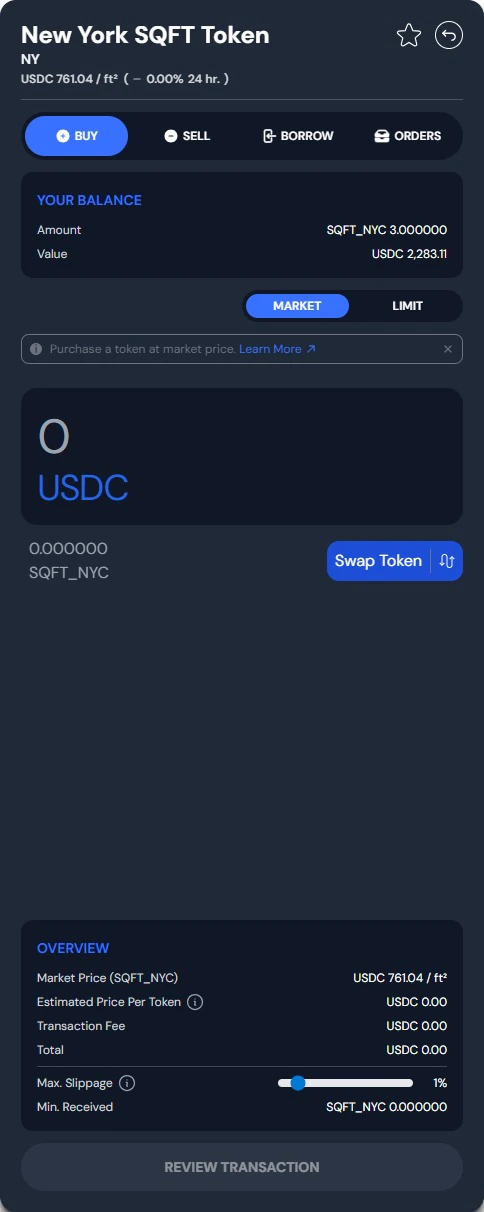
Shareland: Buy trade panel
Step 5: Confirm
Review the details and confirm. Market orders settle on-chain in seconds. Limit orders remain open until filled or cancelled. Your position appears in your portfolio immediately after execution.Your new position is visible instantly in the Portfolio tab.
View your portfolio
Track your positions after your first trade